Welcome, Guest. Please login or register.
June 22, 2026, 09:33:06 AM

Login with username, password and session length

Recent Topics

[June 16, 2026, 07:26:45 AM]

[June 15, 2026, 05:06:57 PM]

[June 10, 2026, 01:04:22 PM]

[June 02, 2026, 05:33:05 PM]

[June 02, 2026, 04:19:31 PM]

[June 02, 2026, 04:02:16 PM]

[June 02, 2026, 06:57:24 AM]

[May 31, 2026, 05:00:58 PM]

[May 31, 2026, 01:45:27 PM]

[May 31, 2026, 06:06:26 AM]

[May 30, 2026, 10:43:42 AM]

[May 30, 2026, 09:15:33 AM]

[May 27, 2026, 05:21:24 AM]

[May 23, 2026, 03:57:46 PM]

[May 13, 2026, 04:42:56 PM]

Picture Of The Month


Soaker with a spring sturgeon

Topic: Touch screen stylus for use on the water  (Read 4162 times)

0 Members and 1 Guest are viewing this topic.

pmmpete

  • Sturgeon
  • *******
  • Location: Missoula, Montana
  • Date Registered: Jul 2013
  • Posts: 1989
When I'm kayak fishing in cold weather, I wear 8 mil. disposable rubber gloves with knit gloves underneath them.  They keep my hands warm and protect them from fishy goop. But if my smart phone rings or notifies me of a message, and I pull it out and poke at the touch screen with my gloved finger, usually nothing happens. The touch screen doesn't respond to my gloved fingers.  I miss the call, take off a glove, and respond.  It's a hassle.

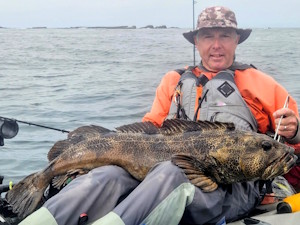
So I bought a touch screen stylus, duct taped it to a short piece of thin shock cord, and attached it to the pocket on my PFD where I keep my phone.  It works great, and is more accurate than my gloved fingers.

You should be able to find a touch screen stylus on sale for a couple of bucks at any store which sells computer and phone equipment.  I bought a package of four pens each of which has a touch screen stylus on its cap at Walmart.  Since I don't need a pen on the water, I attached the cap to my PFD and threw away the pen.
« Last Edit: May 16, 2020, 12:16:49 AM by pmmpete »


anything